
Collapse & conflict
What to Do When Cell Service Goes Down: Calls, Texts, SOS, and a Family Backup Plan
Cell service can disappear while everything else looks normal. Your phone may show SOS, no bars or a spinning message indicator even though the lights are st...
Quick answer
When cell service goes down, determine whether the problem affects one phone or the wider area, send one concise SMS, preserve battery and follow your household's meeting and check-in plan. Try emergency calling for immediate danger, but do not assume another network or satellite connection will always be available.
Cell service can disappear while everything else looks normal. Your phone may show SOS, no bars or a spinning message indicator even though the lights are still on. A carrier failure, overloaded network, damaged fiber connection, tower power loss, software problem or regional disaster can all create the same immediate result: you cannot reach the people you need.
The first response should not be panic or a long drive in search of signal. Confirm what is failing, send one efficient status message, preserve battery and follow the communication plan your household agreed on before the outage.
First, identify what stopped working
Start by checking whether the problem affects one phone or everyone nearby. Look at the signal indicator, try opening a lightweight webpage and ask someone beside you whether their carrier works. If only your phone is affected, toggle airplane mode for about 15 seconds, turn it off and restart the device if necessary. Confirm that mobile service has not been disabled accidentally.
If Wi-Fi and internet service still work, enable Wi-Fi calling if it was already supported and configured by your carrier. Messaging apps and email may also work over Wi-Fi. Do not assume that a working home router means the wider internet is available, and remember that Wi-Fi calling can fail when the provider's own systems are affected.
When several phones lose service, treat it as a network problem. Check a carrier status page or a trusted local alert source only if internet access remains. Avoid relying on a viral screenshot or a single outage map. The cause matters less than your next useful action.
Try one short text before repeated calls
Send a short SMS before attempting repeated voice calls. Text messages use little network capacity and may remain queued until a brief connection returns. A useful message says: 'Safe at library. Staying here until 6 p.m. Then going home by Oak Street.' Include your location, condition, plan and next check-in time.
Send that message to one designated contact rather than a large group. Photos, videos, voice notes and constant replies consume more power and network capacity. If the message does not send, leave it queued and retry at planned intervals instead of tapping resend continuously.
Will an emergency call still work?
If someone faces an immediate threat to life or safety, use your country's emergency number and the phone's emergency-call interface. A phone may be able to reach an available network even when your normal carrier is unavailable, but this is not guaranteed. A complete tower, backhaul or power failure can prevent any call.
If the call connects, state your location first, then describe the emergency. A disconnected or limited-service phone may not provide reliable location data or accept a callback. Do not make test calls to emergency services. If the call fails, try another phone or safe location, use an emergency call box, contact nearby responders or send someone for help only when doing so does not create another casualty.
What satellite SOS can and cannot do
Some supported phones can contact emergency services through satellites when cellular and Wi-Fi coverage are unavailable. Availability depends on the device, software, country, service terms and local conditions. The phone usually needs a clear view of the sky, and sending information can take longer than an ordinary text.
Check the manufacturer's current instructions before you need the feature. Apple and Google provide device-specific guidance and practice demonstrations on supported models. Satellite SOS is a valuable backup, but it is not universal coverage and should not replace a family plan, radio or common sense about moving to safety.
Protect the phone battery
A phone that continually searches for a network can drain its battery quickly. Turn on low-power mode, dim the screen, close unnecessary apps and disable Bluetooth, hotspot functions and background activity you do not need. Keep the phone warm in cold weather and out of direct heat.
Use a schedule such as checking for service on the hour instead of watching the screen continuously. If no update is expected for several hours, airplane mode or switching the phone off can preserve energy. Keep enough reserve for alerts, navigation, emergency calls and the moment service returns. Our guide to power banks versus portable power stations explains how to size a realistic charging backup without buying far more battery than you need.
Build a family plan that works without a signal
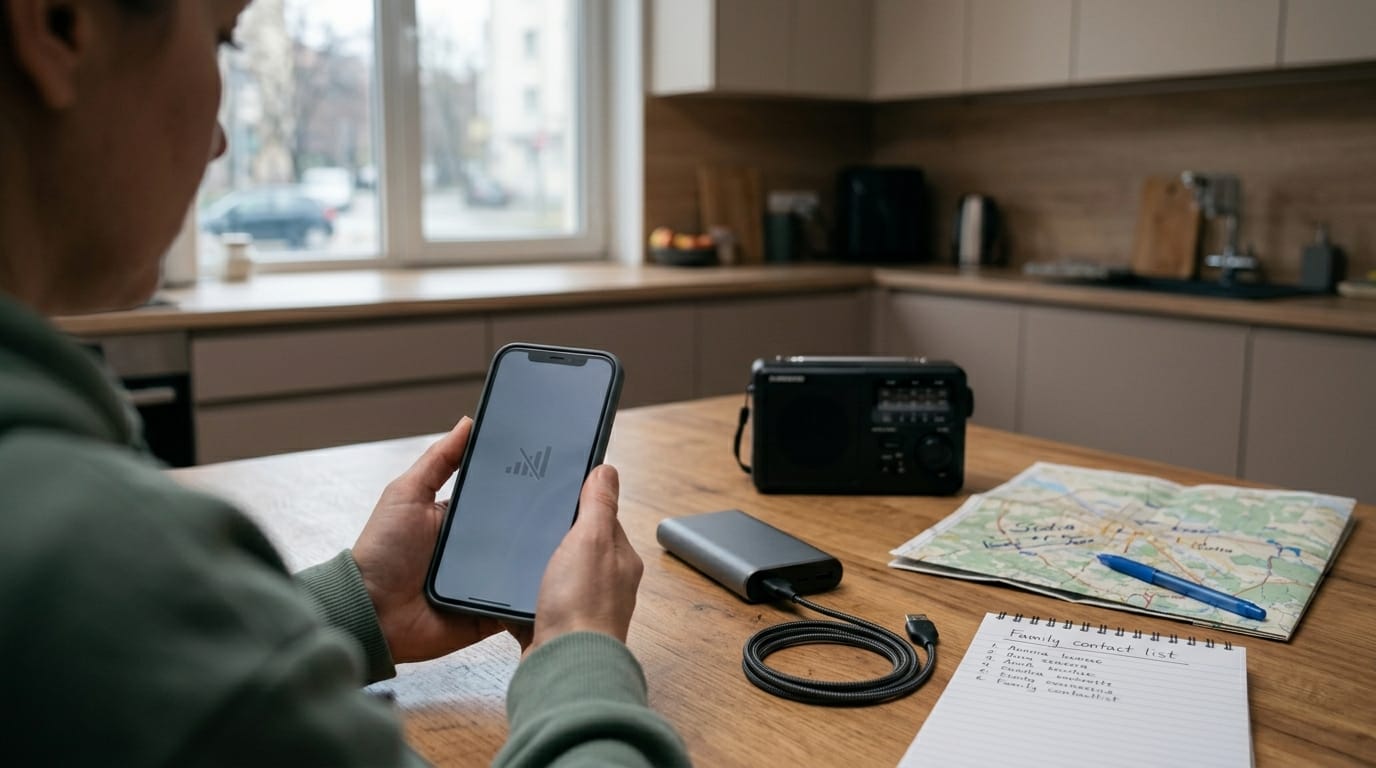
The best communication plan works even when nobody can communicate. Choose one out-of-area contact who may be easier to reach than someone inside the affected region. Every household member should know that person's number on paper, not only in a locked phone.
Set two meeting locations: one close to home and another outside the neighborhood. Decide who collects children, assists relatives or handles pets. Agree on check-in times and a simple message format. Ready.gov's planning guidance recommends making these decisions before an emergency, when everyone can think clearly.
Do not start driving simply because the signal disappeared. Roads may be blocked, fuel stations may have the same network problem and family members may travel past one another. Move when the location is unsafe, authorities direct evacuation, a medical emergency requires it or your prearranged plan says to meet elsewhere. Leave a written note only if it does not expose sensitive information.
Communication options without cell service
If cellular service remains unavailable, receiving information becomes as important as sending it. A battery-powered emergency radio can provide official weather and public-safety updates without a mobile network. Two-way radios can help a nearby household or group if everyone uses compatible equipment and understands its realistic range.
Meshtastic and similar local mesh systems can exchange short messages between prepared users without cellular service, but they require compatible hardware, prior setup and another reachable node. They are not a substitute for emergency dispatch. TSN's Meshtastic guide explains the range limits and setup decisions before buying equipment.
Prepare before the next outage
Prepare the phone itself. Enable government emergency alerts, add medical and emergency-contact information to the lock screen where appropriate, download offline maps, store key addresses and keep operating-system updates current. Learn the emergency features on your actual model instead of assuming every phone behaves like a video you saw online.
Keep a compact communication layer with the household kit: a charging cable, suitable power bank, written contact list, local map, small notebook and weather-capable radio. Store copies in the home and travel kit. If a broader digital disruption also affects payments and internet service, use the priorities in our 72-hour cyber-outage plan.
Mistakes that make an outage harder
Common mistakes include repeatedly calling every family member, driving around for bars, draining the battery on outage maps, assuming SOS means satellite service and buying radios nobody has practiced with. Another mistake is treating silence as proof of the worst explanation. A local technical failure can feel dramatic without becoming a wider disaster.
The practical bottom line
A cell outage is manageable when your household knows where to meet, who relays information and when everyone checks in. Use the phone efficiently while it still has power, then shift to the backups you prepared. The goal is not perfect connectivity. It is making sure one broken network does not break the family plan.
Editorial note
Emergency calling, government alerts and satellite features vary by country, carrier, device, software version and service terms. Check current local emergency guidance and the instructions for your phone. Do not make test calls to emergency services.
Article recap
- Send one short SMS with your location, condition, plan and next check-in time before making repeated calls.
- Emergency calls and satellite SOS may work in some outages, but neither is guaranteed.
- Preserve battery by reducing background activity and checking for service at planned intervals.
- Use an out-of-area contact and predetermined meeting locations so the family plan still works without phones.
Sources and further reading
- Ready.gov: Make a Plan — Ready.gov, accessed May 2026
- Ready.gov: Emergency Alerts — Ready.gov, accessed Aug 2026
- Emergency Communications — Cybersecurity and Infrastructure Security Agency, accessed Aug 2026
- Use Emergency SOS via satellite on your iPhone — Apple Support, accessed Aug 2026
- Get emergency help through satellite with your Pixel phone — Google Pixel Help, accessed Aug 2026
Read next

Questions readers askFrequently asked questions
Possibly, but do not depend on it. A phone may connect to another available network for an emergency call in some places, while a complete tower or backhaul outage may prevent any connection. Use the phone's emergency-call interface, give your location immediately if connected, and try another safe communication method if the call fails.
Sometimes. A short SMS requires less network capacity than a voice conversation and may remain queued until the phone reconnects. Send one concise message containing your location, condition and plan. Avoid group chats, photos and repeated messages when the network is congested.
No. Satellite emergency features depend on the phone model, operating system, country or region, service terms and an unobstructed view of the sky. Check the manufacturer's current instructions and practice any built-in demonstration before an emergency. Satellite messaging is a backup, not a guarantee.
Not necessarily. Keep it available for alerts and scheduled check-ins, but reduce power use with low-power mode, dimmed brightness and disabled nonessential radios or apps. If the outage may last, check for service at planned intervals instead of continuously searching, and switch the phone off for longer periods when no update is expected.
Comments
Leave a comment
No comments yet. Be the first to comment!