Collapse & conflict
Why Didn't My Phone Warn Me About That Earthquake?
You felt the room move, but your phone stayed quiet. In California, a quake can be felt without qualifying for a phone alert. Check which warning paths your ...
Quick answer
A felt California earthquake may not meet the magnitude and expected-shaking thresholds for your phone's alert channel. WEA, MyShake and supported built-in earthquake alerts are separate paths with different requirements. Check them in normal conditions. If you feel shaking, protect yourself immediately rather than waiting for a notification; adapt the action for mobility needs or being in bed.
You felt the room move, but your phone stayed quiet. In California, a quake can be felt without qualifying for a phone alert. Check which warning paths your actual phone supports, then make sure nobody waits for a screen before protecting themselves.
The November 20, 2026 Commerce earthquake illustrates the distinction. The reviewed USGS event record lists magnitude 3.9. The provisional ShakeAlert report records a peak early-warning estimate of 4.2, below the phone-delivery magnitude floors described below. Those are different measurements at different stages, not a reason to blame an individual phone's settings.
First, separate the system from the notification
ShakeAlert is the USGS-operated earthquake early-warning system, not an app. It detects an earthquake after it starts and sends information that delivery partners can use. MyShake is one app that delivers warnings; Wireless Emergency Alerts, or WEA, and supported phone operating systems are other paths. Early warning is not prediction, and a system message does not mean every nearby phone should sound.
Magnitude describes the earthquake. Expected shaking intensity describes what a location may experience. Phone delivery depends on both, not simply whether the quake appears on a news map or whether you felt it. The official delivery thresholds distinguish the channels rather than giving one universal cutoff.
For earthquake WEA messages, the current thresholds are magnitude 5.0 or greater and expected light shaking or greater, Modified Mercalli Intensity IV. The chart gives iOS operating-system alerts a magnitude floor of 4.5 with expected light shaking or greater, intensity IV. For Android operating-system alerts and MyShake, it gives magnitude 4.5 or greater and expected weak shaking or greater, intensity III. These are eligibility floors, not delivery guarantees or a promise that every notification sounds the same.
A smaller quake shown in MyShake's activity list is not proof that an early warning was missed. California says the app displays seismic activity starting at magnitude 2.5, while its early-warning magnitude floor remains 4.5. Even for a qualifying event, an alert may arrive before, during or after shaking starts. Silence is not an all-clear.
Check each phone, not just the household's newest one
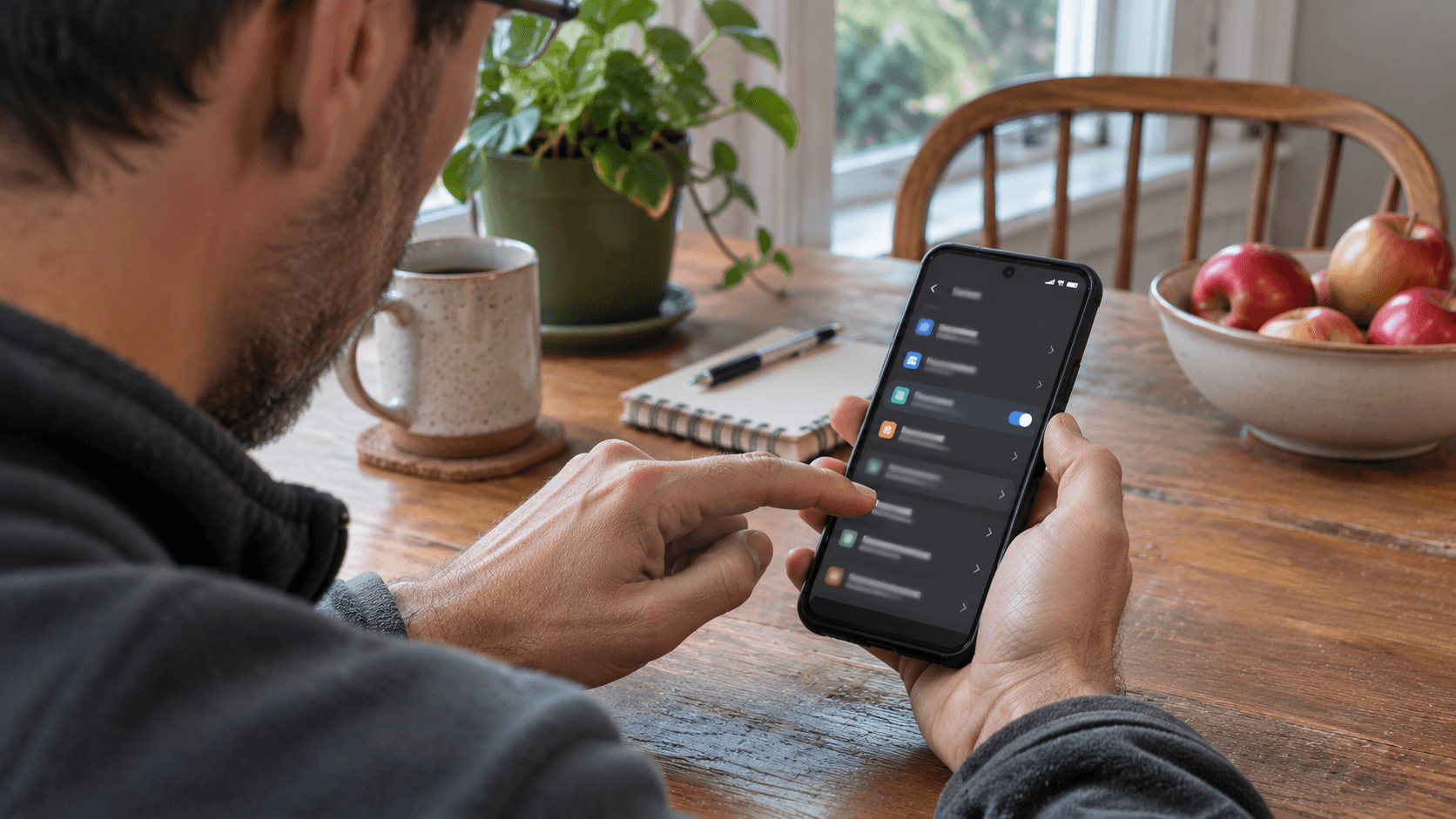
Do this in normal conditions, with the phone in hand. Identify its software version and inspect each available path separately. An app icon or ordinary message does not establish that earthquake warnings are configured. Use the provider's instructions for that device.
Start with government alerts. On iPhone, open Settings, then Notifications, and scroll to Government Alerts. Review the available emergency-alert options and keep relevant warnings enabled. Apple notes that support depends on a SIM or eSIM from a supported carrier. On Android, Google's instructions put Wireless emergency alerts under Settings, then Notifications. Menu names can vary; ask your carrier or manufacturer about an unresolved option. WEA is a cellular-broadcast path, not a MyShake notification.
Next, check built-in earthquake alerts. Apple's current instructions describe Enhanced Safety Alerts in the United States and Taiwan on iOS 26.2 or later. On a supported iPhone, go to Settings, Notifications, Enhanced Alerts, then Enhanced Safety Alerts. Check Earthquake Alerts there separately from Government Alerts. Apple says Earthquake Alerts are on by default; Improve Alert Delivery is a separate option that is off by default. Read its location explanation before deciding whether to enable it.
Apple's Enhanced Safety Alerts use Wi-Fi and cellular data when available, distinguishing awareness notices from critical action alerts for expected strong shaking. Not every notice is a take-cover alarm, and software requirements matter.
On Android, Google's earthquake-alert instructions point to Settings, Safety & emergency, then Earthquake alerts. If that menu is absent, the documented alternative is Location, Advanced, then Earthquake alerts. Check that the feature is on and that Wi-Fi or data is enabled. Google uses approximate location to target alerts; in California, Oregon and Washington these alerts use ShakeAlert data. Availability and settings still need checking on the actual device.
If you use MyShake, open it and review notification and location permissions using its current instructions. Confirm the chosen HomeBase as well. The California earthquake-warning FAQ says either the phone location or HomeBase must be in the affected area. With location services off, MyShake cannot warn for your current location outside HomeBase. A home setting is not a substitute for checking coverage while away.
Keep these checks focused on warnings, not wholesale battery restrictions. For conserving charge while preserving important connections, use our guide to saving phone battery during a power outage. Turning Wi-Fi back on after selecting airplane mode does not restore cellular WEA reception.
Agree what happens without a phone
For most indoor situations, act when you feel shaking or receive an earthquake alert. Drop onto your hands and knees, cover your head and neck, and crawl under a sturdy table or desk if nearby. Hold on until shaking stops, moving with the shelter if it shifts. Without nearby shelter, get beside an interior wall and protect your head and neck. Do not run outside or cross the home looking for a better table.
Adapt the action to the person. If you cannot safely get onto the floor or get back up, do not force a transfer. If seated and unable to drop, bend forward and cover your head and neck. For a wheelchair or walker, lock wheels where applicable, cover your head and neck, and hold on until shaking stops; walker users should carefully get as low as possible. The Earthquake Country Alliance's protective-action guide explains these adaptations. In bed, stay there, turn face down and protect your head and neck with a pillow until shaking stops.
While conditions are calm, talk through the action from the places people usually sit and sleep. Include anyone who needs help and consider the phone being silent or in another room. Keep services on during this walkthrough. Checking settings or seeing a demonstration cannot prove the next live warning will arrive.
After shaking, follow local official instructions and be ready to protect yourself again during aftershocks. Do not enter damaged buildings. California's Earthquake Readiness Guide covers these next steps. Our local emergency map guide can help organize official update sources and household contacts beforehand; it is not a reason to leave during shaking.
Finish knowing each phone's alert paths, any unresolved settings, and each person's action without a warning. Silence cannot certify a building safe or rule out more shaking. Protect yourself before investigating the notification.
Editorial note
This guide focuses on California household phone checks, using USGS, California and device-provider guidance. Features, menus and delivery requirements can change. A settings inspection cannot guarantee a future alert, diagnose an individual missed warning or assess building safety. Follow local emergency instructions and use protective actions appropriate to your location and mobility.
Article recap
- ShakeAlert is the warning system, not an app. A detected earthquake does not automatically trigger every phone.
- WEA has a magnitude floor of 5.0; iOS, Android and MyShake use 4.5. Expected-shaking floors also differ by channel.
- Check government alerts, supported built-in earthquake features and MyShake permissions and HomeBase separately.
- A silent phone is not an all-clear. Know your protective action without relying on an alert.
Sources and further reading
- M 3.9 - 1 km NW of Commerce, CA — U.S. Geological Survey, accessed Nov 2026
- Post-ShakeAlert Message Summary: November 20, 2026 Commerce earthquake — U.S. Geological Survey / ShakeAlert, accessed Nov 2026
- Alert Delivery Thresholds — U.S. Geological Survey / ShakeAlert, accessed Nov 2026
- Earthquake Warning California: Frequently Asked Questions — California Office of Emergency Services, accessed Nov 2026
- Government, Emergency, and Enhanced Safety Alerts on iPhone — Apple Support, accessed Nov 2026
- Google: Get help during an emergency with your Android phone
- Step 5: Drop, Cover, and Hold On — Earthquake Country Alliance / Statewide California Earthquake Center, accessed Nov 2026
- Earthquake Readiness Guide — California Office of Emergency Services, accessed Nov 2026
Read next

Questions readers askFrequently asked questions
No. In California, earthquake Wireless Emergency Alerts use magnitude 5.0 or greater with expected light shaking or greater, intensity IV. MyShake uses magnitude 4.5 or greater with expected weak shaking or greater, intensity III. Magnitude and local expected shaking both matter. Meeting these floors does not guarantee receipt or advance warning.
Not necessarily. Apple documents built-in Enhanced Safety Alerts, including Earthquake Alerts, in the United States and Taiwan on iOS 26.2 or later. Check Settings, Notifications, Enhanced Alerts, then Enhanced Safety Alerts. This is separate from carrier-delivered Government Alerts and from the MyShake app. Confirm your own software, region and connection requirements rather than assuming all iPhones have the same features.
California says MyShake displays seismic activity from magnitude 2.5, but its early-warning magnitude floor is 4.5, with expected weak shaking or greater at the relevant location. The activity list is not a log proving that an early warning should have reached you. Location permissions and the chosen HomeBase also affect which area the app can warn for.
Comments
Leave a comment
No comments yet. Be the first to comment!